A playlist becomes a keepsake

Make a mix you can hold.

Choose the songs, shape the running order, then give the mix a life beyond the screen. Each playlist runs for 80 minutes or less, making it a natural fit for an audio CD, a MiniDisc in long-play mode or a cassette with a carefully planned side break.

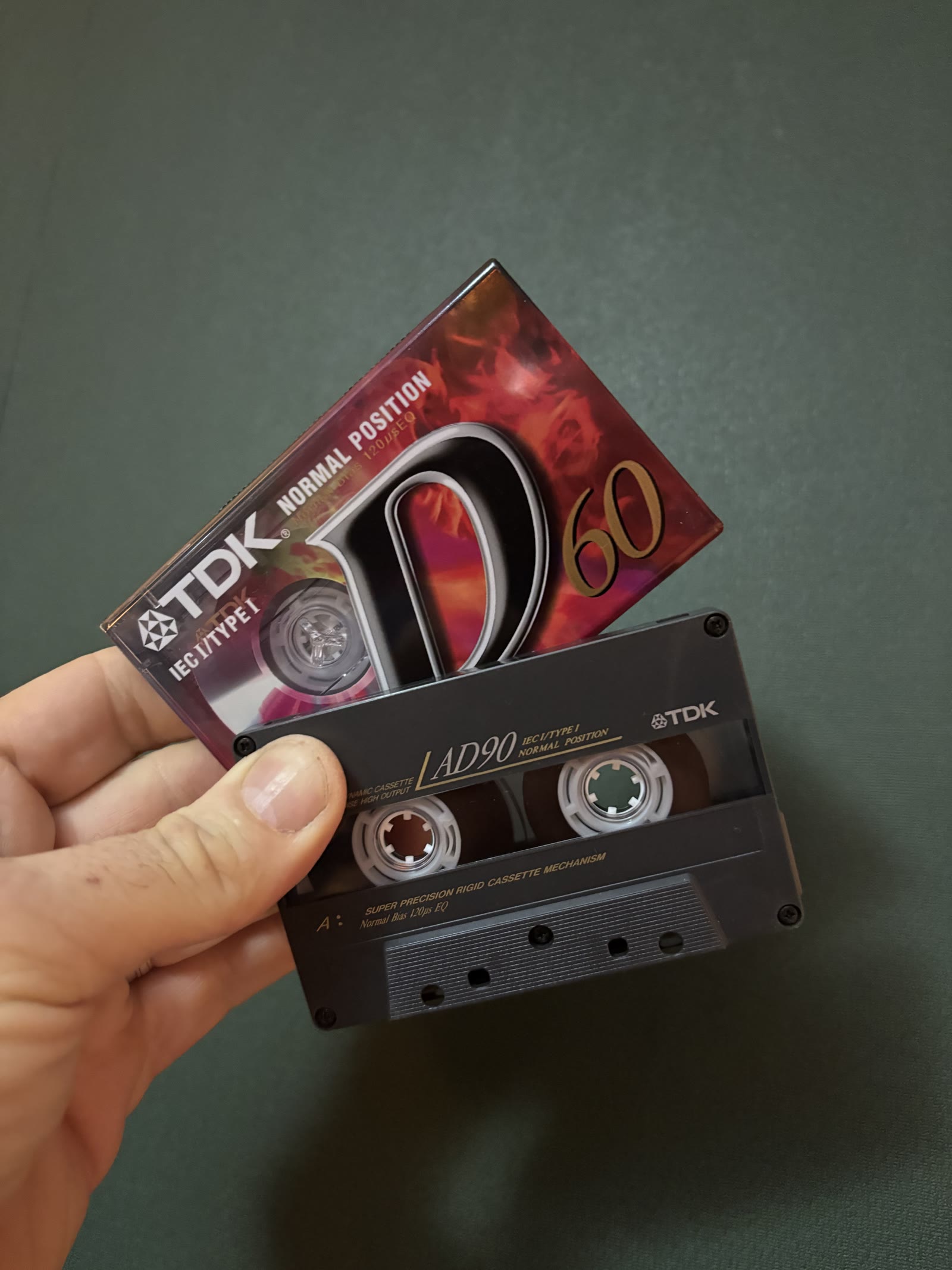
A TDK Compact Cassette held in hand
Compact Cassette / side A and side B
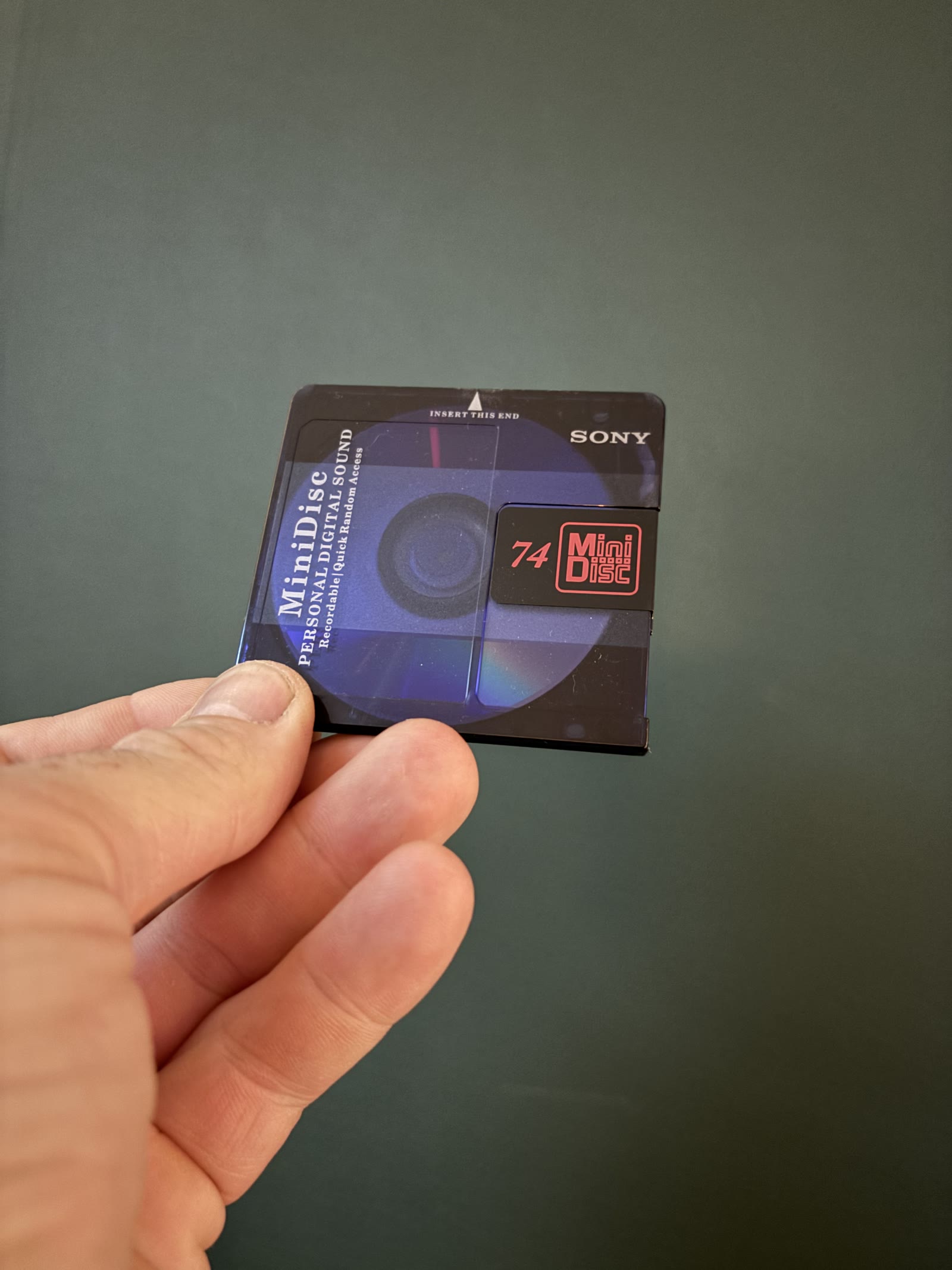
A Sony MiniDisc held in hand
MiniDisc / compact and portable
Up to 80 minutesEnough time for a substantial listening journey, and a useful format limit shared by an 80-minute audio CD-R and an 80-minute MiniDisc.

Pick your medium.

The same playlist can feel completely different when you make it for a disc, a tiny cartridge, or two sides of tape.

Audio CD

Burn a standard audio CD-R and play it in most CD players, including many older car stereos. The tracks stay in a fixed sequence, just like a pressed album.

Capacity: usually 80 minutes on a 700 MB audio CD-R. Leave room for any gaps between tracks, and check the total time before burning.

MiniDisc

Record a compact, reusable disc that is easy to carry and quick to navigate. Label it, arrange the tracks, and take a personal mix on a walk or a journey.

Capacity: an 80-minute disc in standard stereo mode. A compatible MDLP recorder can fit longer mixes using a longer-play recording mode.

Compact Cassette

A cassette makes a mix feel personal. Record in real time, design the sequence around the two sides, then write a title and track list for the inlay.

Capacity: a C90 gives you 45 minutes per side. Split the playlist at a natural pause, and check the timing of both halves.

Make it on your format.

These personal photos show two ways to turn a playlist into something you can play, label and keep.

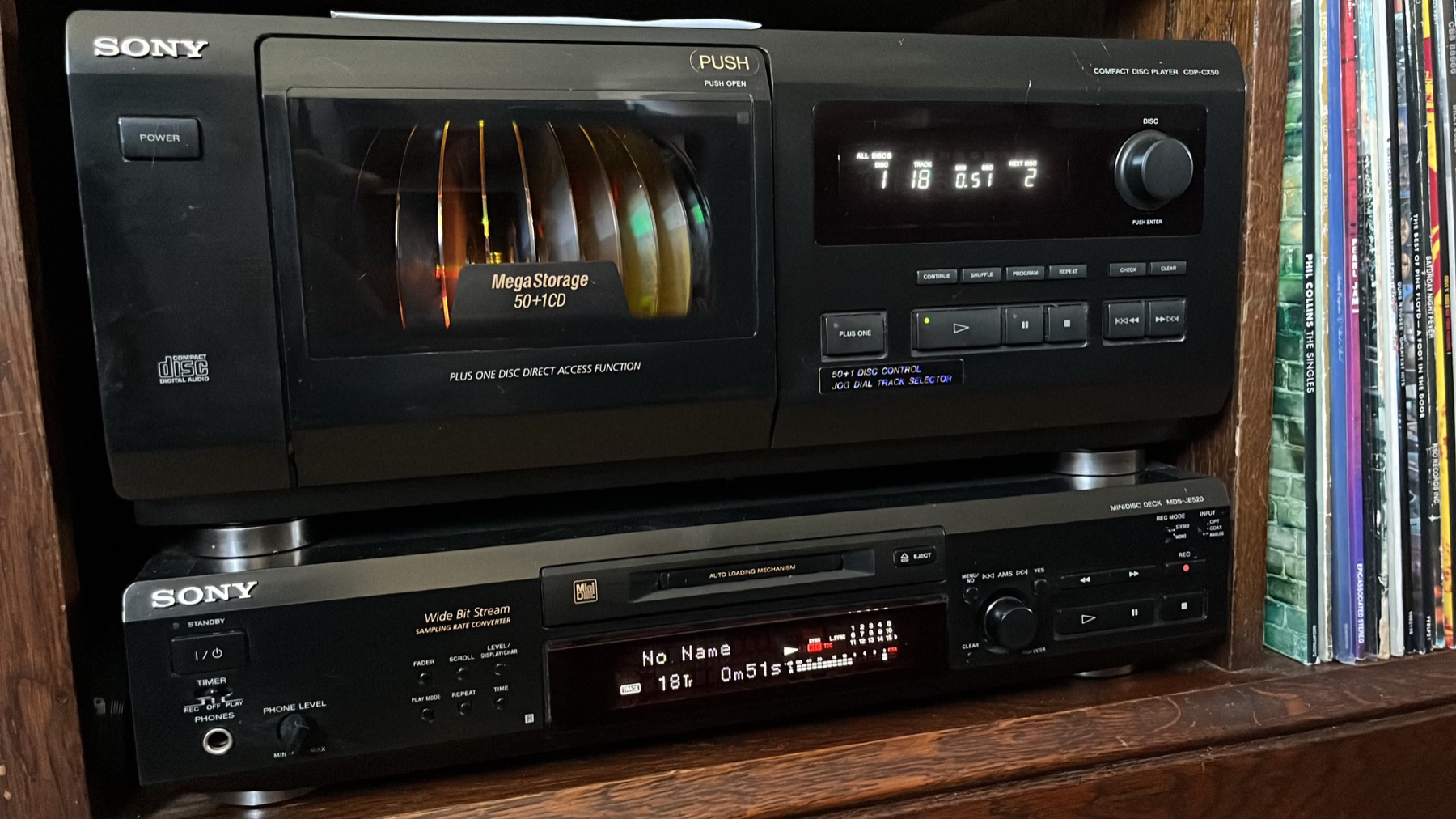
Sony CDP-CX50 CD changer beside a Sony MDS-JE520 MiniDisc recorder
Sony CDP-CX50 CD changer and MDS-JE520 MiniDisc deck

Keep discs close at hand.

A CD changer keeps a large disc collection ready to play, while a recordable MiniDisc deck gives a playlist a compact, reusable home.

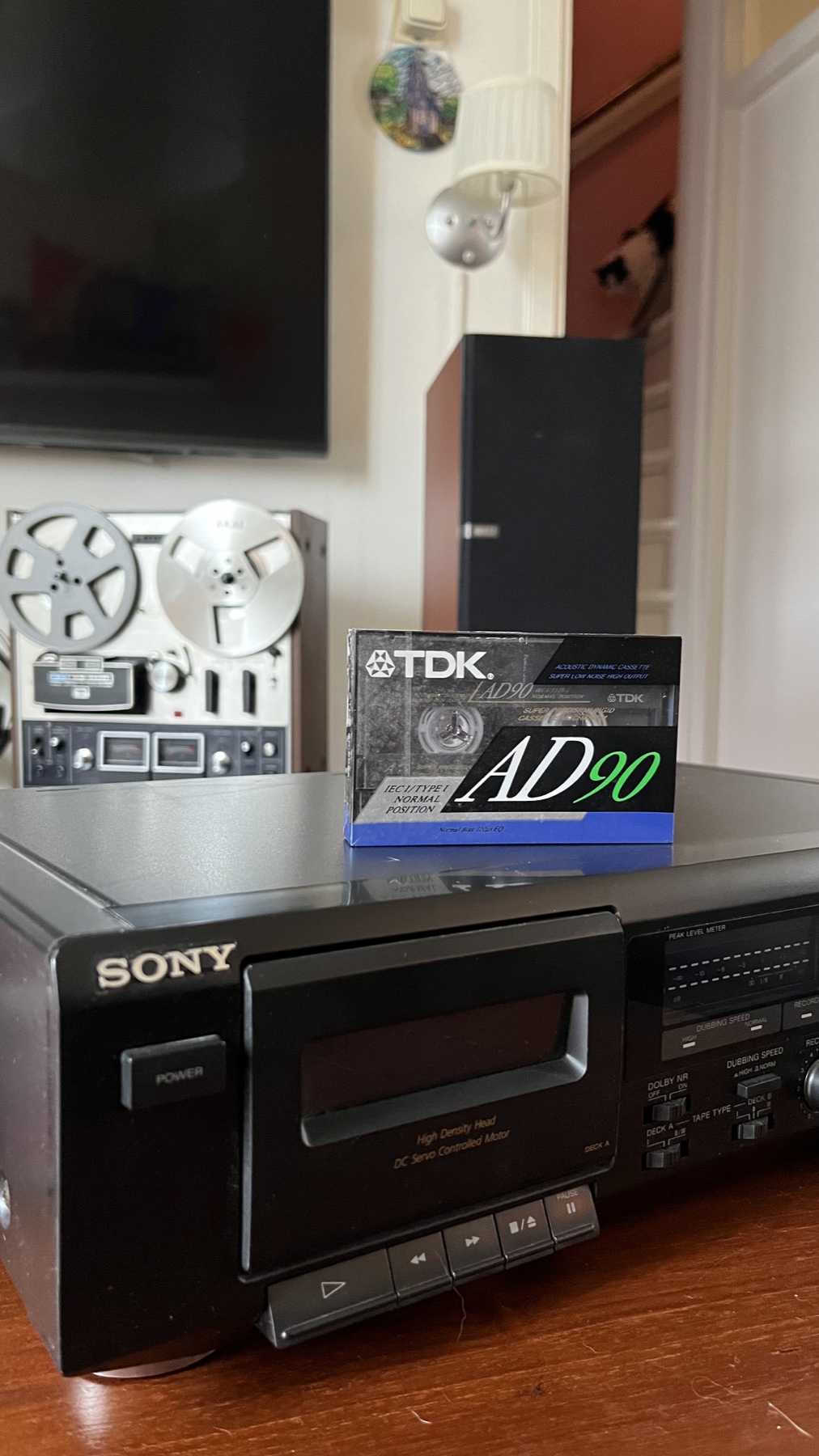
A TDK AD90 cassette on a Sony cassette deck, with a reel-to-reel recorder behind it
TDK AD90 cassette beside a Sony cassette deck

Give both sides a plan.

A C90 offers about 45 minutes per side. Leave space for the side break and shape the track order so each half feels complete.

A good source makes a good copy.

The CD, MiniDisc or cassette can only preserve the signal it receives. Choose good source material, use a clean connection, and check your levels before committing to a full recording.

Start with the best source you have

An original CD or a lossless file from a trusted source is a strong starting point when you own it or have permission to copy it. A label claiming higher resolution cannot repair a poor master, so the recording and mastering still matter most.

Spotify can be the playback source

If your use is permitted, a Spotify stream can be the live playback source for a recording. Set the app to its highest available quality and use a stable connection. If Spotify Lossless is available on your Premium account and playback device, enable it. Otherwise choose the best option offered. Use a wired or compatible digital connection when possible. Bluetooth cannot carry Spotify Lossless at full quality.

Make a clean recording

Connect the player directly to a line input or a compatible digital input. Avoid recording a speaker with a microphone when a direct connection is available. Test the loudest track, set a healthy level, and keep peaks out of the red to prevent distortion.

Plan it. Record it. Keep it.

A good mix is more than a list of favourite songs. Give it a beginning, a little movement, and an ending that feels right.

A compact cassette ready to become part of a personal mix
A cassette mix, ready to take shape

Make the recording part of the mix.

Set up the source, check the levels, then enjoy the sequence as it takes shape. A little care at the start makes a tape or disc feel like a finished personal edition.

01

Shape the sequence

Think about the opening, energy, mood changes and final track. For cassette, choose where the side break belongs. For a CD, decide whether the tracks should have gaps.

02

Choose a source

Start with the best master and cleanest signal you can access. For the physical copy, use audio you own or are allowed to reproduce. Match the source output to the recorder input and test the level first.

03

Finish the object

Give the mix a title, write down the track order, add the date, then store the disc or tape in its case. A handwritten label turns a recording into a small edition of its own.

Design the inlay.

A handwritten title is lovely, but a custom J-card, booklet or MiniDisc label makes a personal mix feel like a release of its own. These tools and templates help with the layout.

YouTube player

This player is blocked until you choose to load external media. You can keep reading, then change your choice here or in Media settings at the bottom of the page.

A MiniDisc example showing how much personality custom artwork can add.

Make the mix look like yours.

This MiniDisc video is a glimpse of what is possible when the artwork becomes part of the project. Use the same idea for a CD booklet, a cassette J-card, or a coordinated set of covers and labels.

CD jewel case inserts

CCSS provides layered PSD, EPS and PDF templates for jewel case inserts, tray cards and booklets. Pick the exact two panel, four panel or booklet layout before you start designing.

MiniDisc J-card print templates

For compact MiniDisc jewel cases, Band CDs provides inner and outer J-card artwork templates, along with a PDF template for disc printing that you can open in Photoshop.

Give the disc its track titles

If you own a compatible NetMD recorder, Web MiniDisc Pro can transfer music and manage track names through a supported browser. You can title the disc and tracks from the computer instead of entering every name on the deck.

Check the print before cutting

Case sizes and printer specifications differ. Use the template for the case you actually have, keep text clear of folds and cut lines, print at 100 percent scale, and try a plain-paper proof before using sticker stock or photo card.
Ten mixes, ready to explore.

Listen here, find a mood, and imagine how you would arrange the music on a disc or tape.

Each playlist is no longer than 80 minutes, so it can be a starting point for an audio CD or MiniDisc, or a two-sided cassette mix.

80’s power

Spotify player

This player is blocked until you choose to load external media. You can keep reading, then change your choice here or in Media settings at the bottom of the page.

Long songs

Spotify player

This player is blocked until you choose to load external media. You can keep reading, then change your choice here or in Media settings at the bottom of the page.

Nashville Nights

Spotify player

This player is blocked until you choose to load external media. You can keep reading, then change your choice here or in Media settings at the bottom of the page.

Absolute Disco

Spotify player

This player is blocked until you choose to load external media. You can keep reading, then change your choice here or in Media settings at the bottom of the page.

90’s Club Anthems

Spotify player

This player is blocked until you choose to load external media. You can keep reading, then change your choice here or in Media settings at the bottom of the page.

One Band, Many Voices, 90’s & 00’s Pop Edition

Spotify player

This player is blocked until you choose to load external media. You can keep reading, then change your choice here or in Media settings at the bottom of the page.

Rock Anthems

Spotify player

This player is blocked until you choose to load external media. You can keep reading, then change your choice here or in Media settings at the bottom of the page.

Sunset Roadtrip

Spotify player

This player is blocked until you choose to load external media. You can keep reading, then change your choice here or in Media settings at the bottom of the page.

Eurodance Empire

Spotify player

This player is blocked until you choose to load external media. You can keep reading, then change your choice here or in Media settings at the bottom of the page.

Afterglow Frequencies

Spotify player

This player is blocked until you choose to load external media. You can keep reading, then change your choice here or in Media settings at the bottom of the page.

There is more where these came from.

Browse the full public playlist collection on Spotify and find another mix to make your own.

Explore all playlists