Physical music, wherever the road leads

A soundtrack that travels.

A CD, cassette or MiniDisc can play directly from the car stereo. The music is already with you, so there is no mobile data, streaming reception or phone needed. You only need a compatible player, the media you chose and a working car audio system.

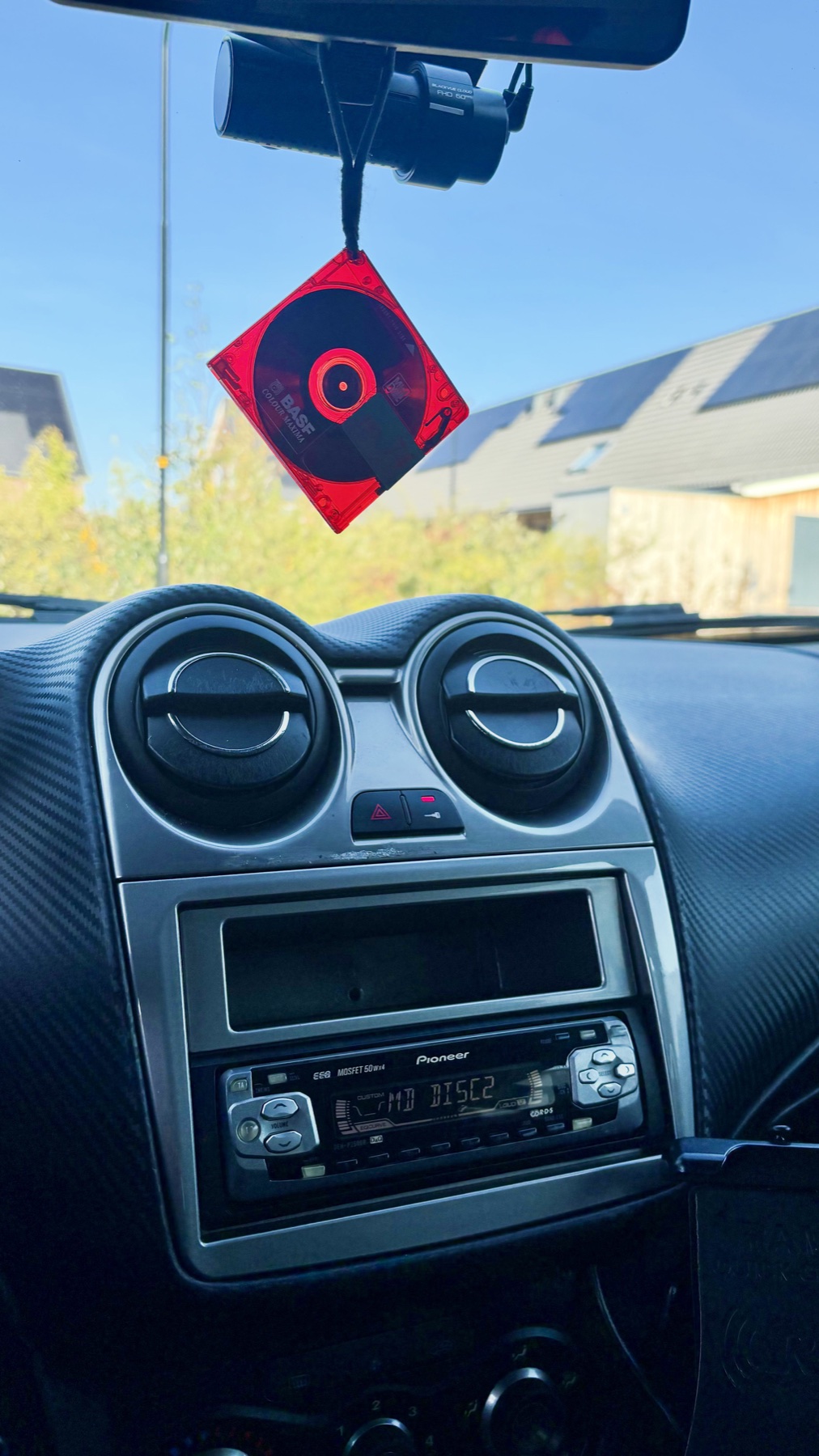
Pioneer CD player installed below the air vents in a car dashboard, with a red disc case hanging above it
Put a disc in, press play and drive
01No mobile data
02No streaming signal
03No phone required
04Your music, ready to play

Bring the music. Leave the signal.

Streaming is convenient, but a journey does not always come with reliable reception. Physical media lets you set up the soundtrack before leaving and enjoy it wherever the road goes.

Ready in tunnels and the countryside

Once you press play, a CD, cassette or MiniDisc does not need a network connection. You can travel through a tunnel, cross a rural area or drive where coverage drops without music buffering or a stream cutting out.

Independent of a phone

A compatible in-dash player makes the media itself the source. The car stereo can play it without a phone, app, account or mobile data plan. Your phone stays available for the things you actually need it for.

Disc, tape, or MiniDisc.

What works depends on the car and the equipment available. Some systems came from the factory. Others are fitted later with a compatible head unit and the right installation parts.

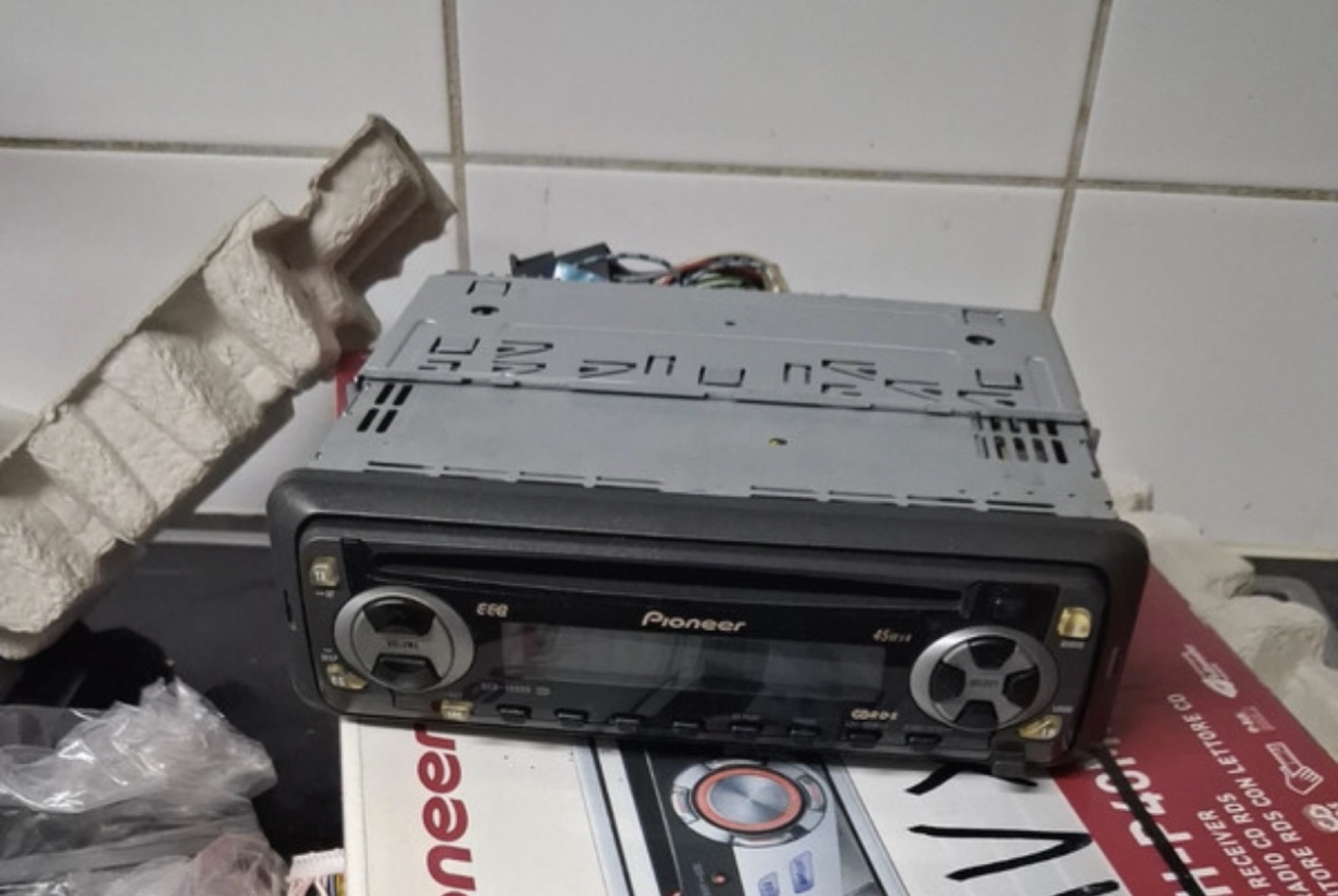
A Pioneer in-car CD player from a classic car audio system
A dedicated car CD player

CD

CD is the most straightforward physical format for many cars. A compatible head unit plays discs directly, while a multi-disc changer can keep several albums ready without swapping each one at the dashboard.

Great for a ready-made album or a carefully sequenced mix CD.

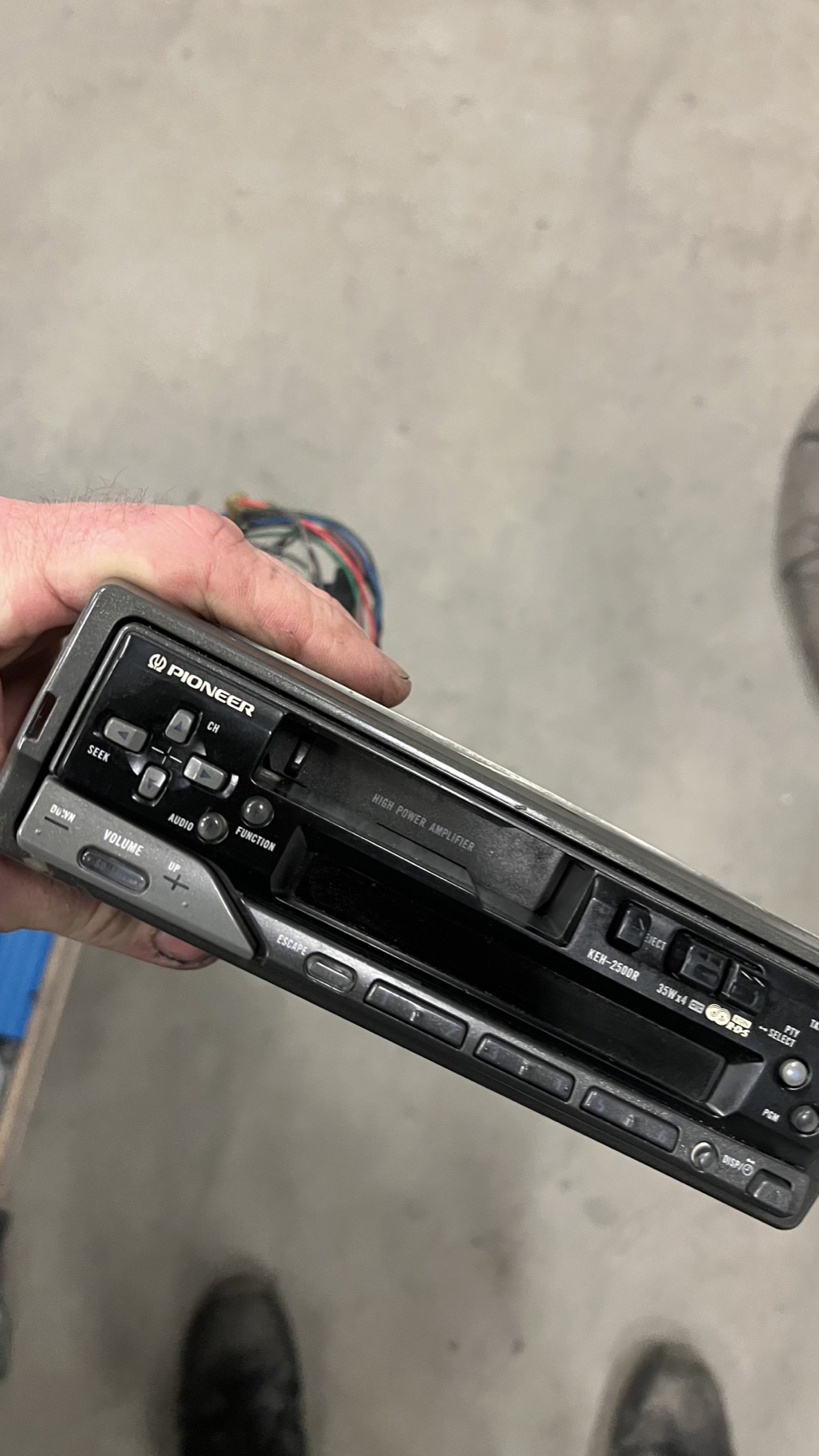
A Pioneer car cassette receiver with a tape deck and radio tuner
A Pioneer cassette receiver

Compact cassette

A cassette head unit brings mixtape culture into the car. Older vehicles may still have a factory cassette radio, while a classic or aftermarket receiver can be fitted where the dashboard allows it.

A tape deck is simple and self-contained, but take care of tapes in heat and direct sun.

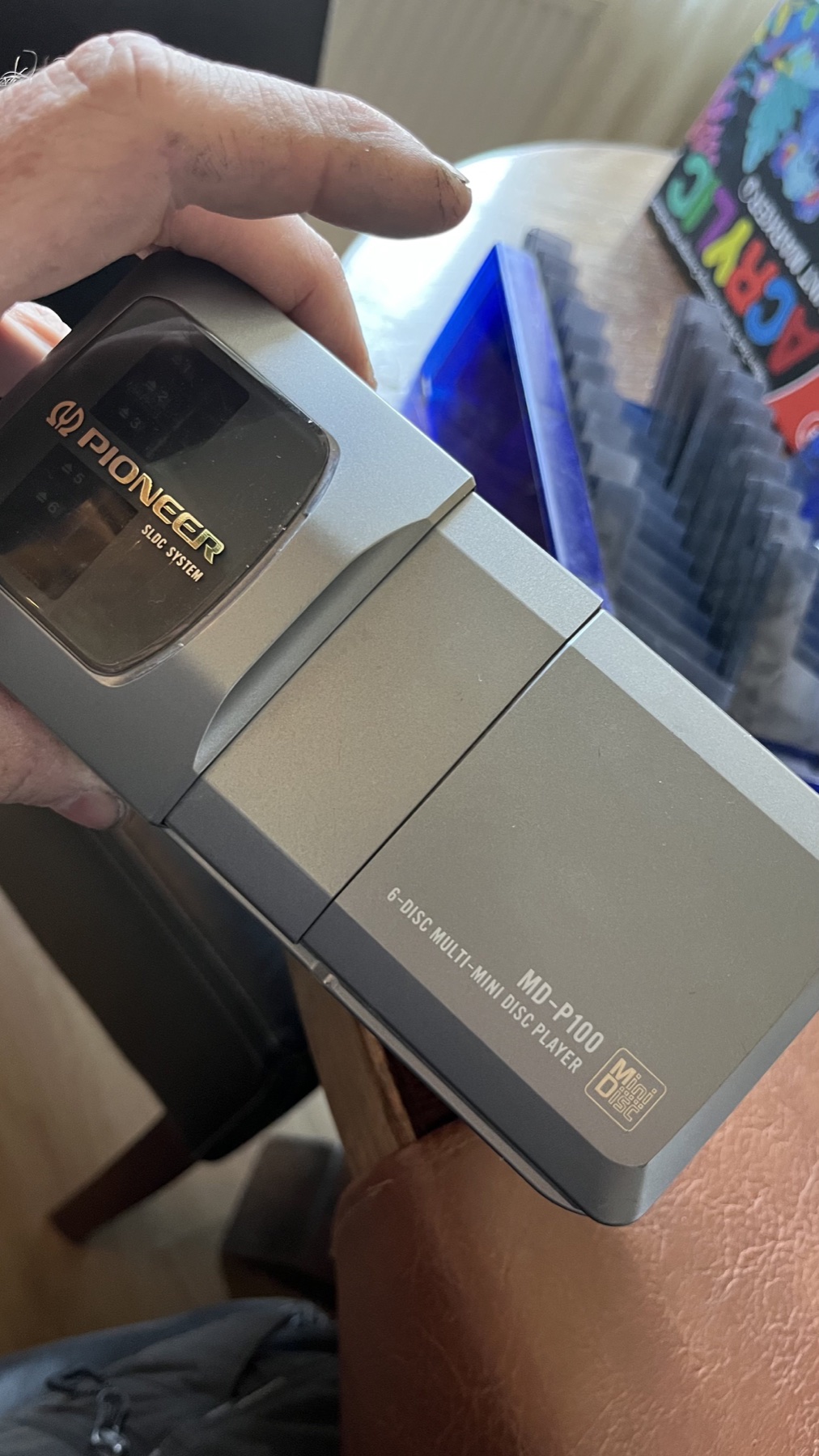
A Pioneer six-disc MiniDisc changer and its magazine
A Pioneer MiniDisc changer and six-disc magazine

MiniDisc

Some specialist car systems paired a MiniDisc head unit with an in-dash or boot-mounted changer. The compact cartridges make it easy to carry a selection of discs and avoid handling loose CDs.

A niche format for the car, equipment and compatible control units are now specialist finds.

One dash. Many albums.

CD and MiniDisc changers let you select from several loaded discs. They are a satisfying period feature, especially for long trips and people who like to plan a musical sequence.

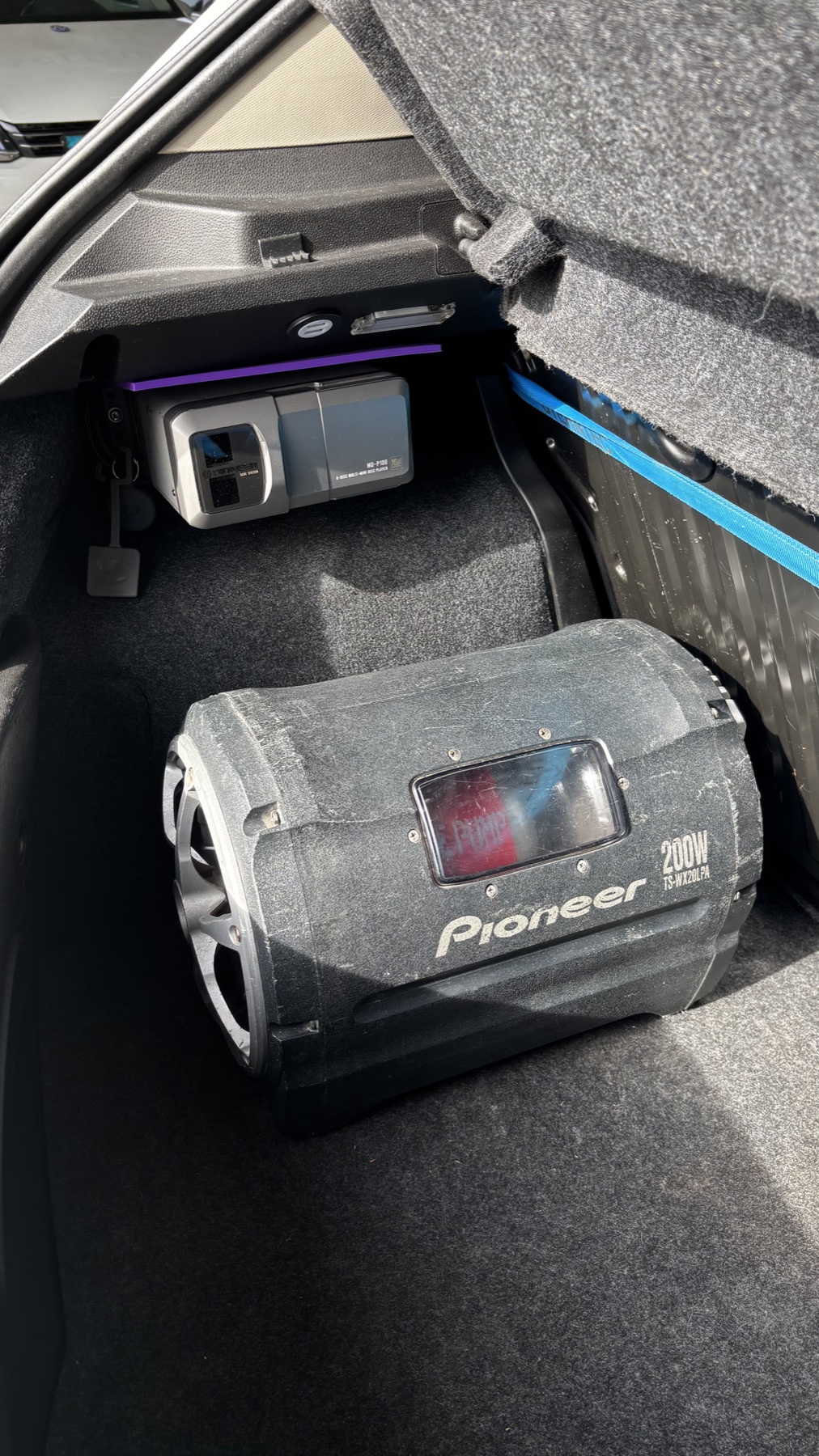
A Pioneer MiniDisc changer and subwoofer installed in the boot of a car
A boot-mounted MiniDisc changer alongside a subwoofer

Changer, magazine, head unit

Many changers sit in the boot or under a seat, while a control head unit stays within reach. The changer stores several discs in a magazine and sends audio to the car stereo. Some CD changers are also fitted in the dashboard or glovebox.

  • Check the changer and head unit are designed to work together.
  • Confirm the cable, magazine and control protocol match the exact model.
  • Mount the unit securely and in the orientation allowed by its manual.
  • Test playback and disc changes before refitting the boot trim.

From the media to the road.

Every component has a job. A good system can start simply and grow later, provided the sources, wiring and speakers are compatible.

01 / Choose the source

Disc or tape

A CD, cassette or MiniDisc is read by a format-compatible player.

02 / Operate it

Head unit

The receiver selects the source and controls playback, volume and radio.

03 / Add power

Amplifier

The built-in amp may be enough. An external amplifier can provide more clean output for a suitable setup.

04 / Make sound

Speakers

Door or dash speakers turn the amplified signal into music inside the car.

05 / Support bass

Subwoofer

An optional subwoofer can add low bass, with an amplifier and secure installation to suit it.

Keep the whole setup balanced. The head unit, amplifier, speakers, wiring and power supply need to suit each other and the car. Start with good installation and speakers before adding parts for their own sake.

A portable MiniDisc player can use AUX too. If the radio has an AUX input, connect the player's headphone or line output with a suitable audio lead. This is often a 3.5 mm stereo cable at both ends. Some radios instead use RCA inputs or a vehicle-specific AUX adapter. Select AUX, begin with the volume low and secure the player before driving. Check the radio manual for its exact input. See the cable guide for the connection diagram ↗

Hear the whole installation.

Speakers shape the sound in the cabin, while a well-matched amplifier and subwoofer can add clarity and weight when you want more than the head unit alone.

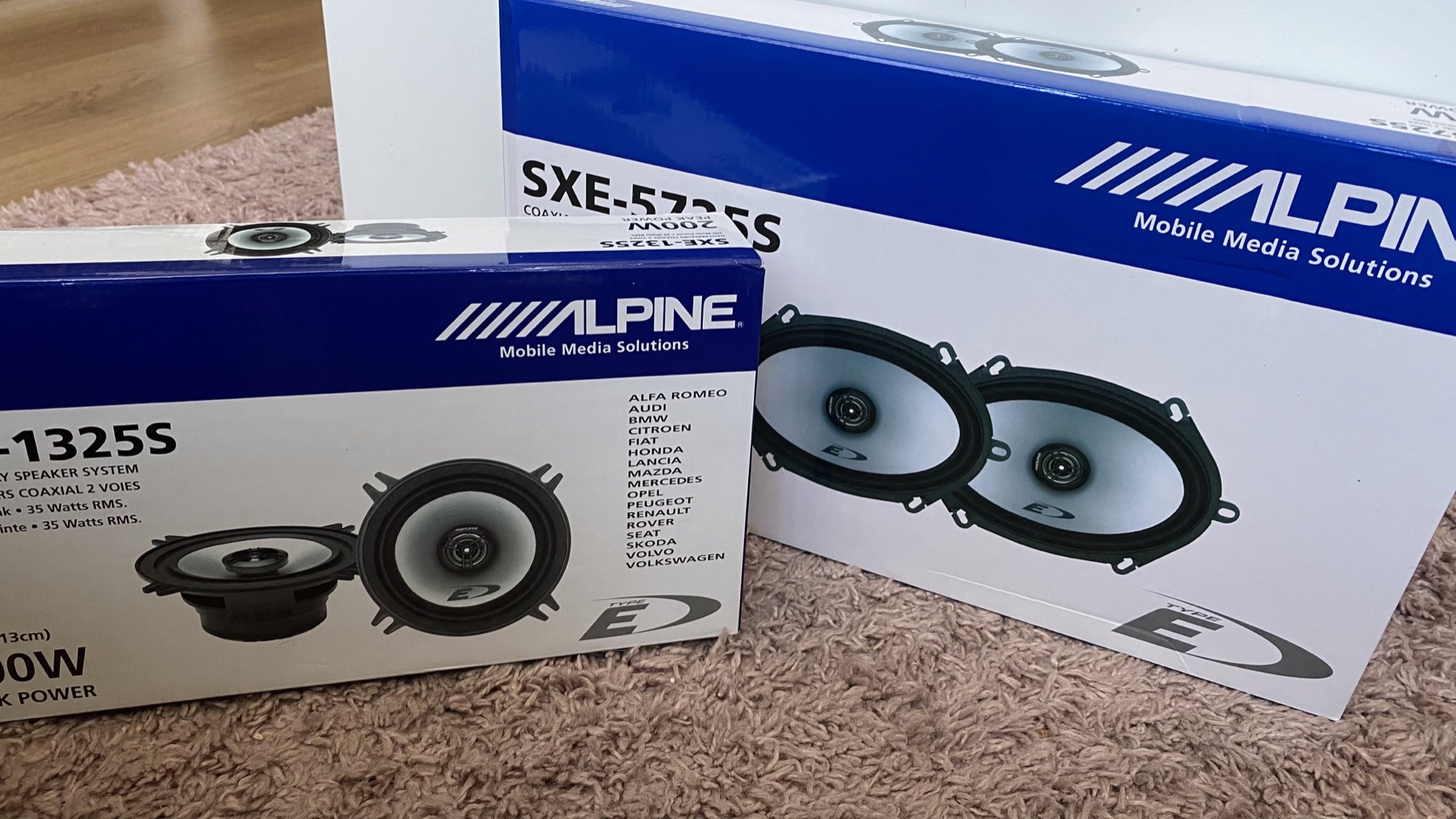
Alpine two-way coaxial car speakers shown in their retail packaging
A pair of Alpine two-way coaxial car speakers

Choose speakers for the car

Fit, sensitivity and the space available in the doors or dashboard matter as much as the name on the grille. Check dimensions and mounting depth before choosing a replacement.

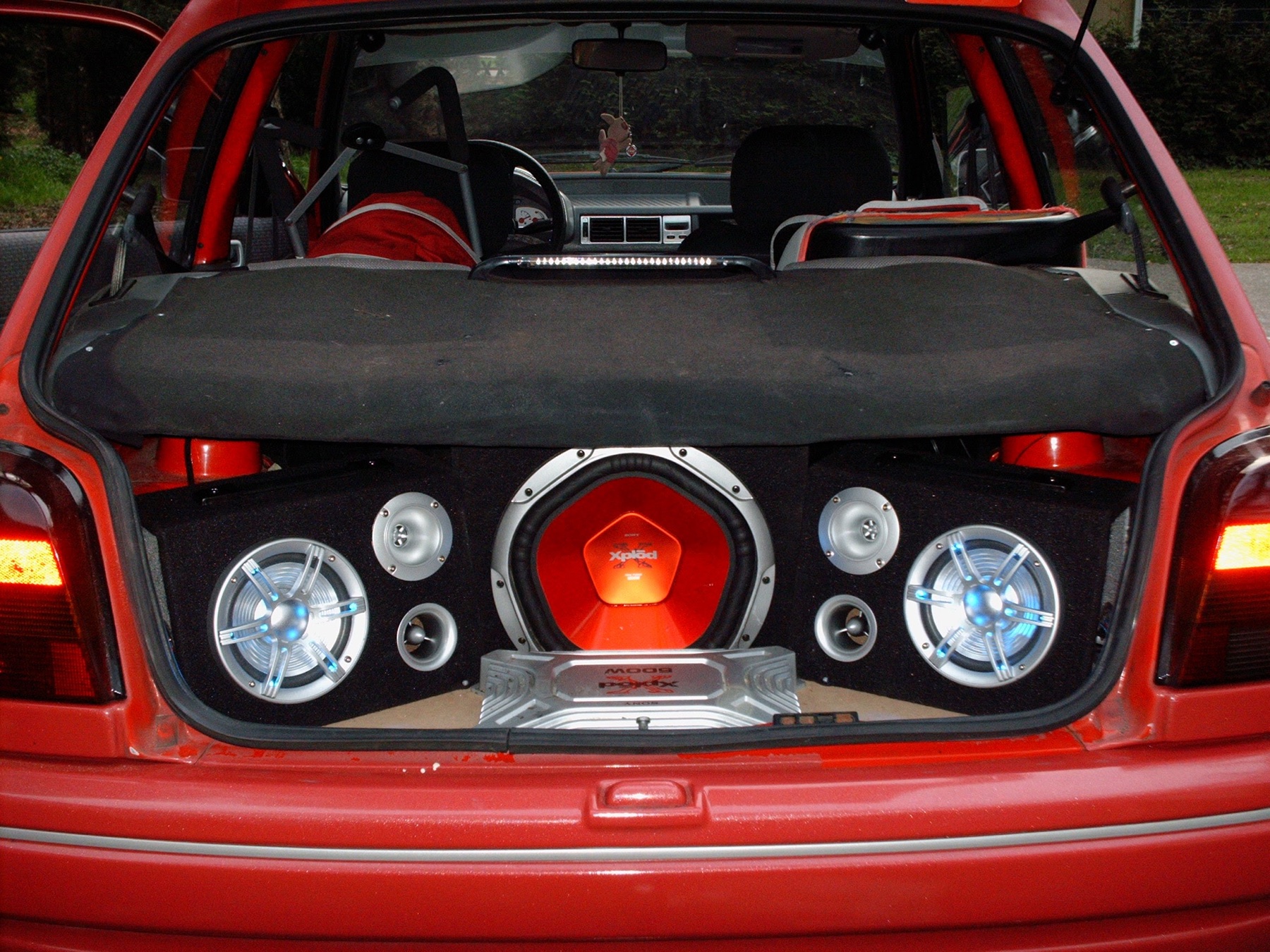
Sony Xplod subwoofer and speaker installation in the boot of a Ford Fiesta
A Sony Xplod system installed in a Fiesta

Make room for bass

A subwoofer can add low-frequency weight, but it takes up space and needs the right amplifier, enclosure and secure mounting. A balanced system is more enjoyable than adding bass for its own sake.

Keep the maps. Keep the music.

CarPlay can add navigation, calls and compatible iPhone apps to a car display while CD, cassette or MiniDisc stays part of the system. Use the screen for directions, and choose physical media for music that is already in the car.

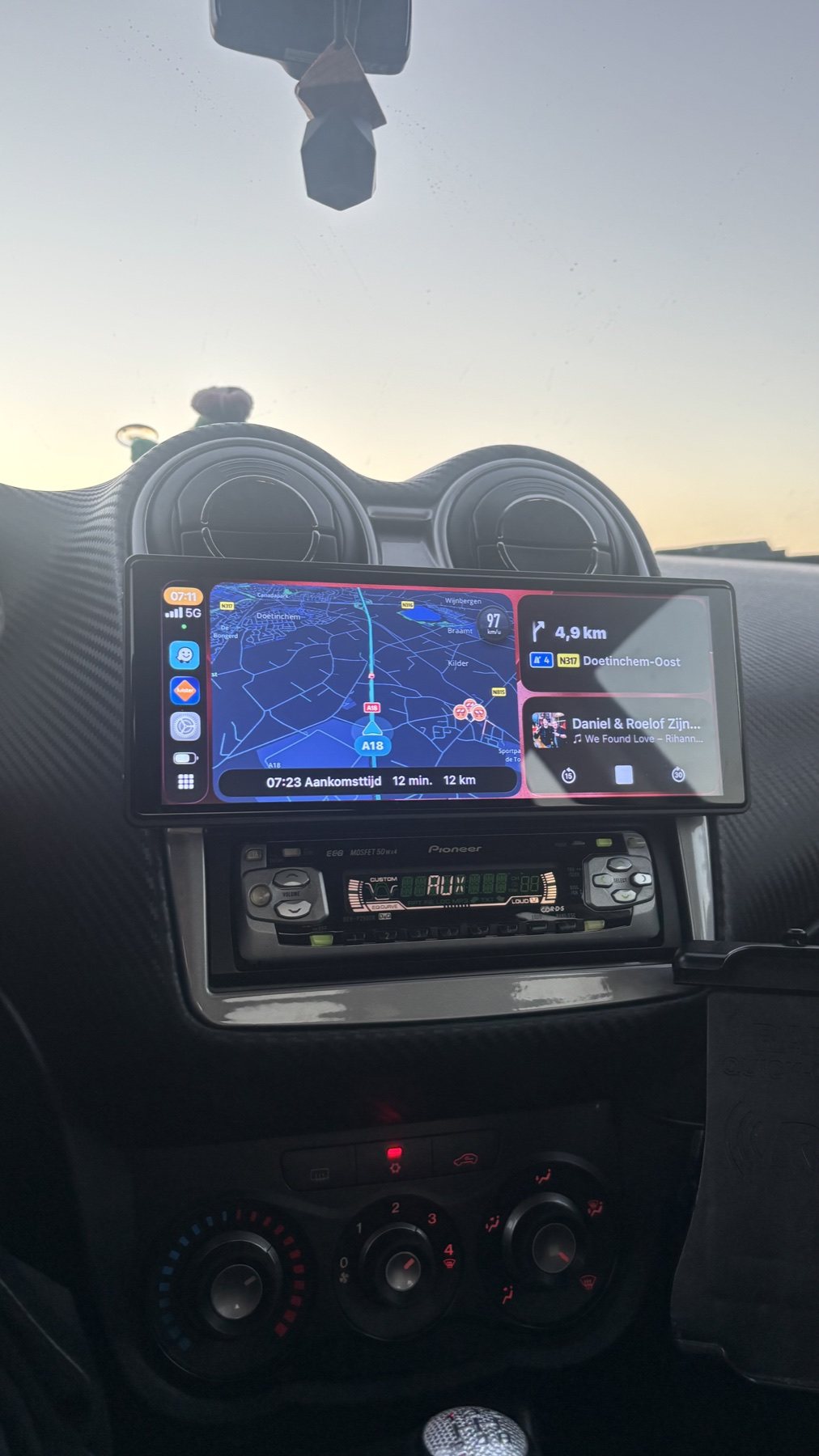
An external CarPlay screen mounted above a Pioneer car stereo
An add-on CarPlay screen above the existing Pioneer head unit

Add a screen, keep the stereo

An external display can bring navigation to an older dashboard without replacing the original head unit. Check how it routes sound to the stereo, and whether navigation can stay on screen while a CD, cassette or MiniDisc plays from a separate source.

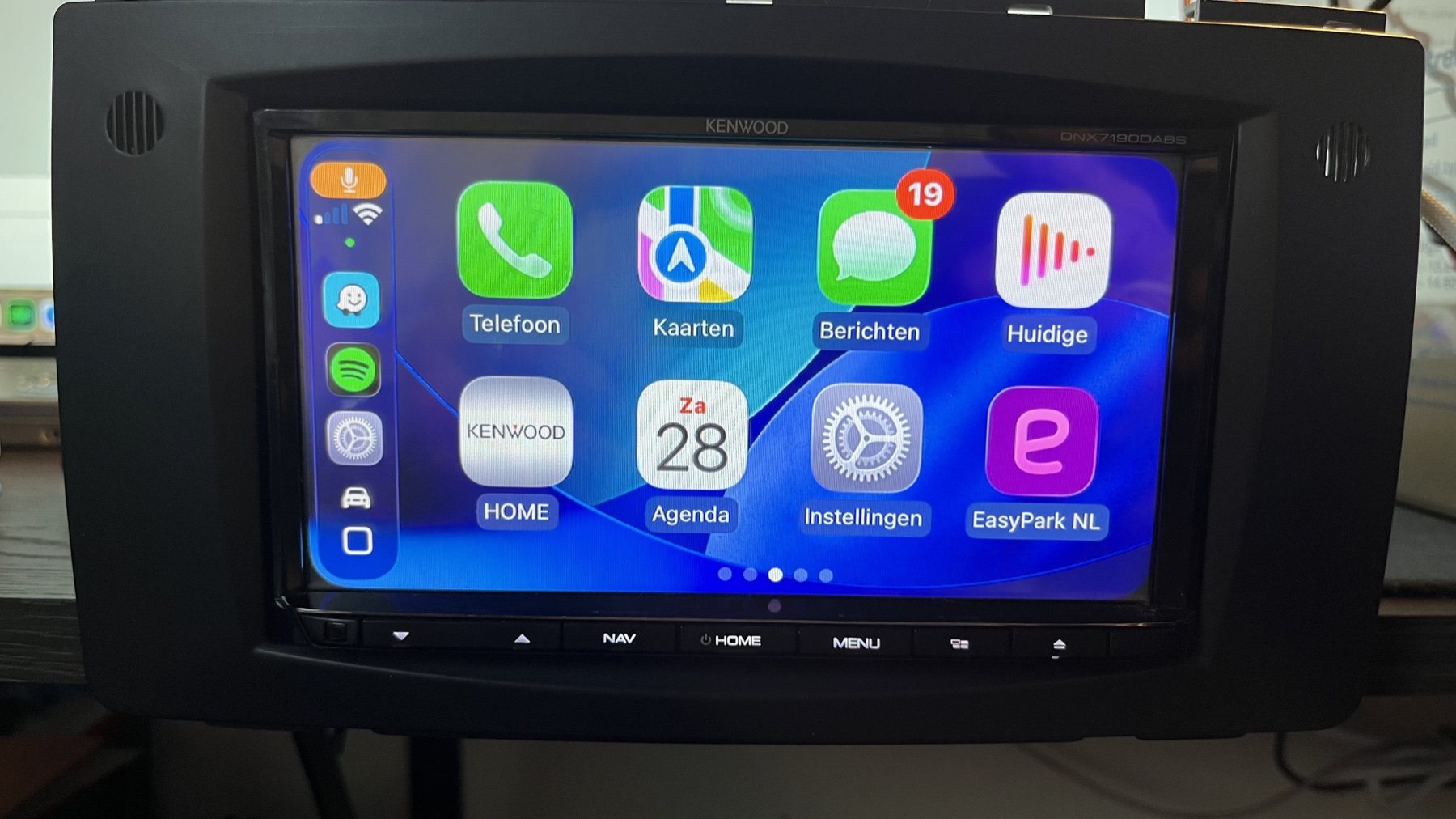
A Kenwood in-dash touchscreen showing the CarPlay home screen
CarPlay integrated into an in-dash touchscreen receiver

Choose an integrated receiver

Many touchscreen CarPlay head units use a double-DIN opening. Single-DIN units with a fold-out screen and vehicle-specific receivers are also available. Confirm the dashboard fit, wiring adapters and how you will keep a CD drive or connect another physical player.

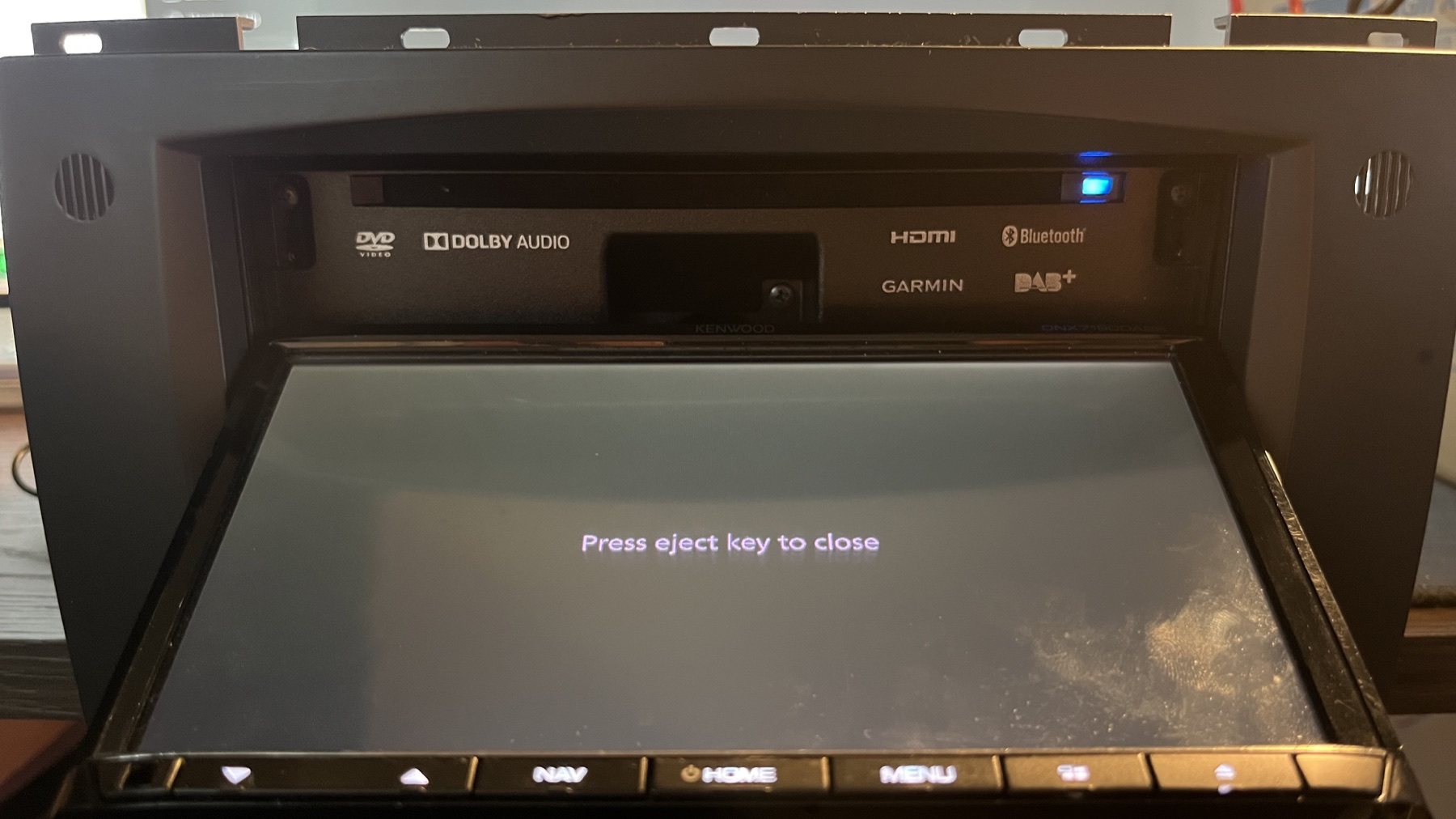
A motorised in-dash display opened above a Kenwood multimedia receiver
A motorised CarPlay screen with a built-in disc drive

CarPlay and CDs in one unit

The receiver shown combines a motorised CarPlay display with an optical disc drive. Use CarPlay for navigation and compatible iPhone apps, or load a CD into the same head unit. Check the exact model for supported disc formats, phone connection and dashboard fit.

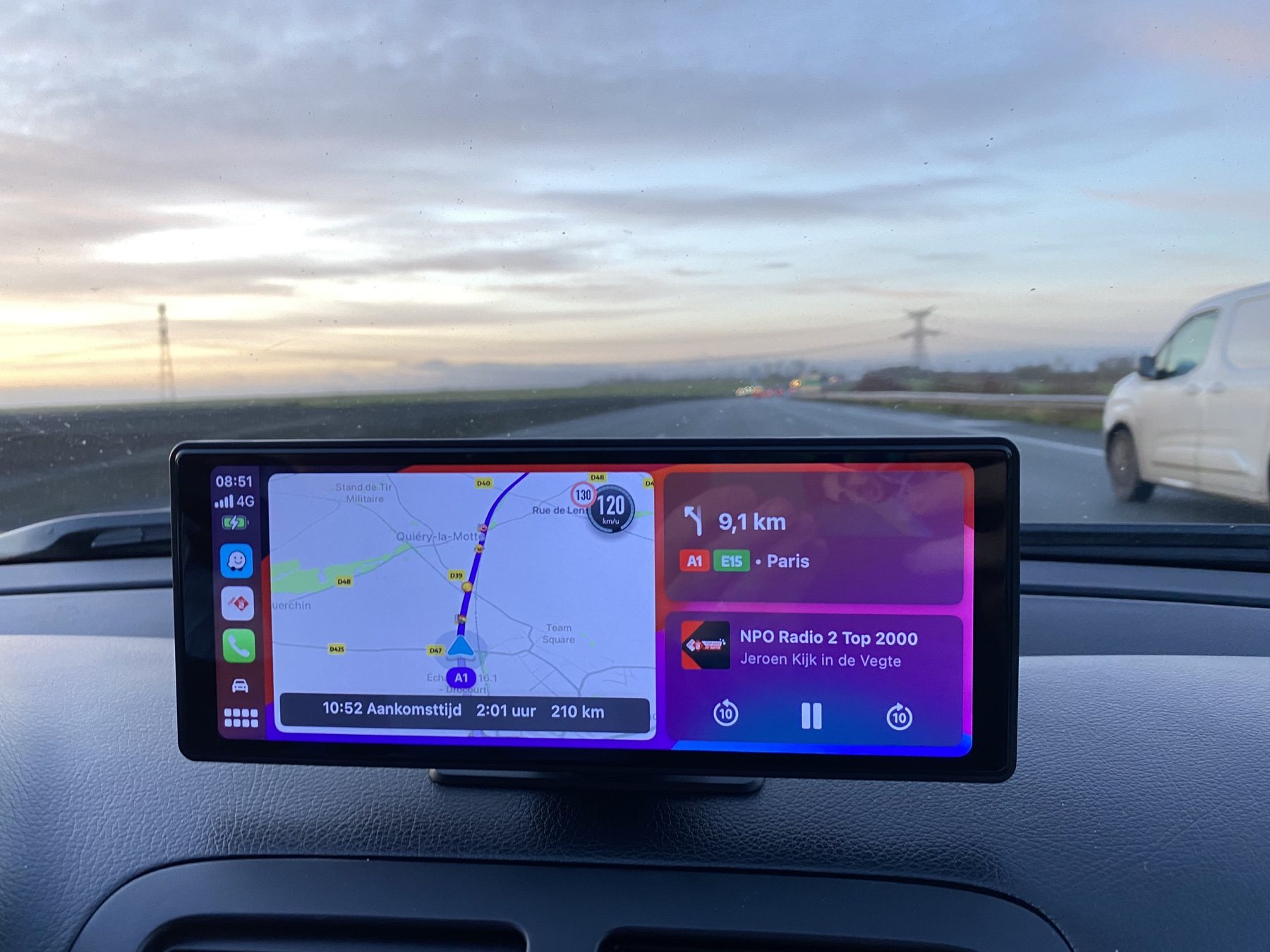
An external CarPlay display showing navigation and audio above the dashboard
Navigation and audio on a separate display above the dashboard

Mix modern and familiar

With the right connections, a separate screen can handle maps while the existing head unit remains available for physical music. Check whether the screen and stereo use AUX, Bluetooth, an FM link or another audio connection, and choose the route that suits your equipment.

Keep the two jobs clear. CarPlay needs a compatible iPhone and can use mobile data for live services. CDs, tapes and MiniDiscs remain ready to play independently of phone reception. Check the exact unit and audio path before buying, and set up navigation before driving. Apple's CarPlay guide ↗

A real radio. A clear feature list.

Product photos make it easier to see what a specific head unit includes, and what it does not. This Caliber is one example of a modern source for physical and radio playback.

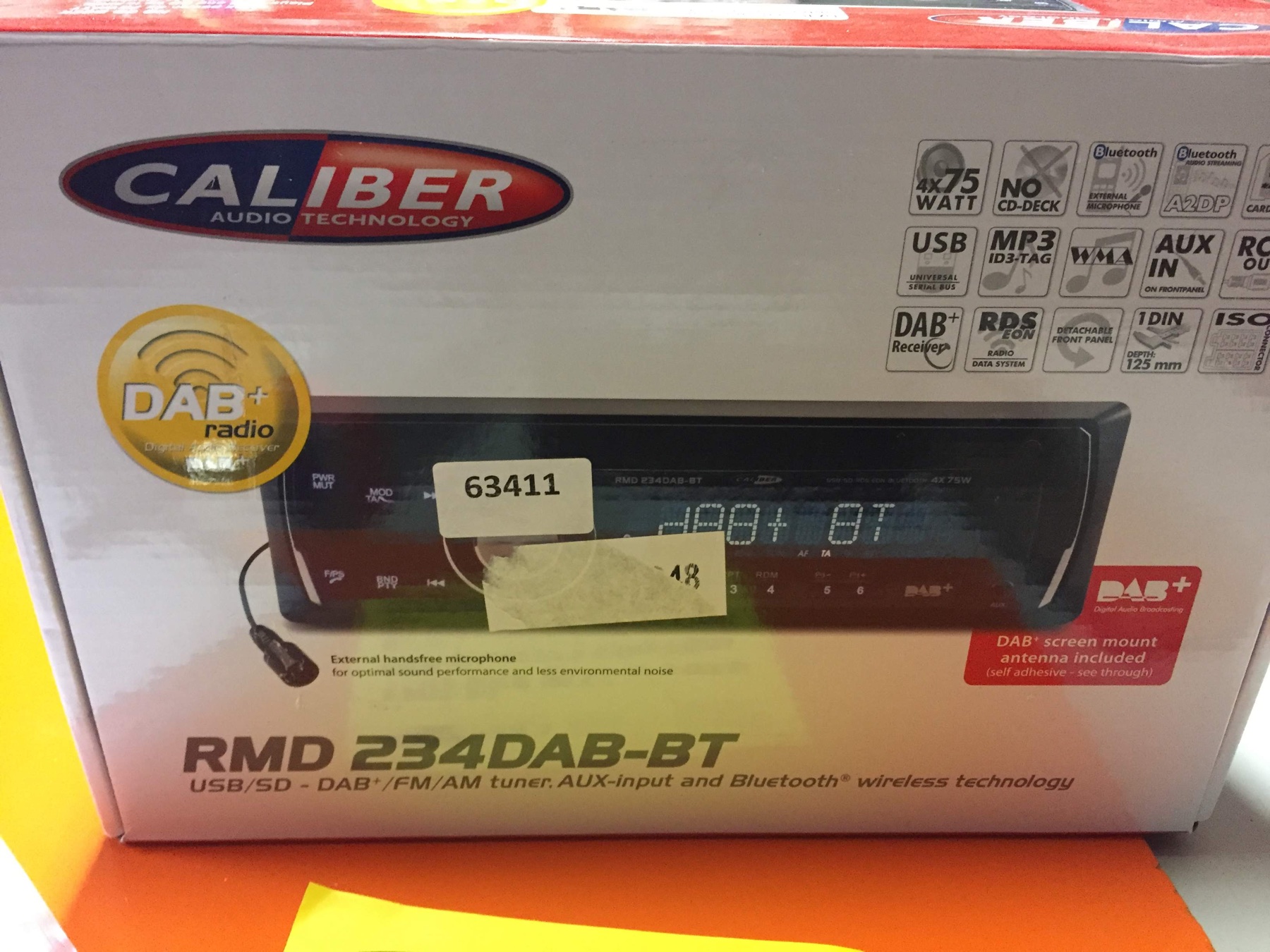
The retail box for a Caliber RMD 234DAB-BT car head unit, with its listed features
Caliber RMD 234DAB-BT retail box and feature list
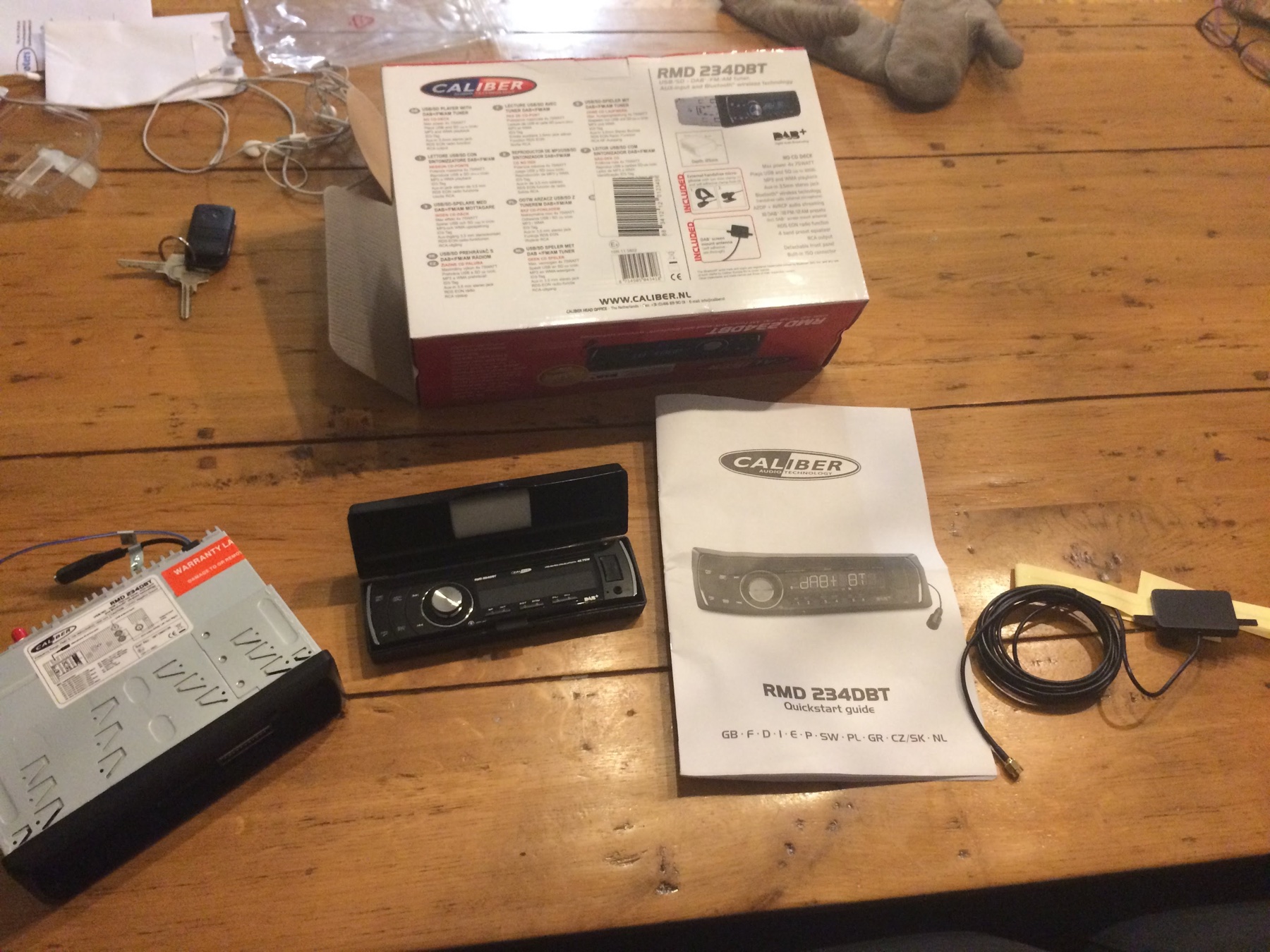
Caliber RMD 234DAB-BT head unit with its box, manual and installation accessories
The receiver, packaging, manual and included accessories

A new head unit without a CD mechanism.

This newly purchased Caliber shows how a radio can offer modern connections in a conventional head unit. Its listed features include DAB+, Bluetooth, USB, SD-card playback and an AUX input.

It does not have a built-in CD player. If you want CDs in the car, choose a receiver with a disc drive, or connect a portable CD player to AUX with a suitable cable. The same approach can work with a portable MiniDisc or cassette player. Check the manual for supported files and the exact input connections.

DAB+BluetoothUSB and SDAUX inputNo CD drive

Start simple. Build your soundtrack.

There is no one correct car audio build. A straightforward CD player may be all you want, or you may enjoy collecting the pieces for a more involving system.

CD player and factory speakers

A compatible CD head unit connected to the existing speakers is a practical place to start. It keeps the installation focused and avoids adding equipment you may not need.

Cassette head unit

A working cassette receiver can be the heart of a period-style system. Choose well-maintained tapes and check playback, rewind, fast-forward and both stereo channels.

Head unit and compatible changer

MiniDisc can provide a compact collection in the car. Since car MD systems are specialist equipment, confirm the exact head unit, changer, magazine and control lead as one compatible system.

Amplifier and subwoofer

For stronger dynamics or deeper bass, consider an external amplifier and subwoofer matched to the speakers and vehicle. A specialist installer can size and fit them correctly.

Fit the car. Check the system.

A physically compatible unit is only the first step. Modern dashboards can use vehicle-specific electronics, displays and controls that need the right adapter.

Before buying a head unit

  • Check whether the dashboard takes a single-DIN, double-DIN or vehicle-specific unit.
  • Look for the correct fascia, wiring harness, antenna adapter and mounting cage.
  • Check steering-wheel controls, factory amplifiers, parking sensors and dashboard display functions.
  • Confirm the player supports your chosen format and any changer you plan to use.

Before buying second-hand

  • Ask to test every transport, button, display, channel and output.
  • Check the manual for installation orientation, ventilation and wiring details.
  • Confirm any security code, remote control, changer cable or magazine is included.
  • Ask an experienced installer about vehicle compatibility before cutting, drilling or wiring.

One dashboard. More choices.

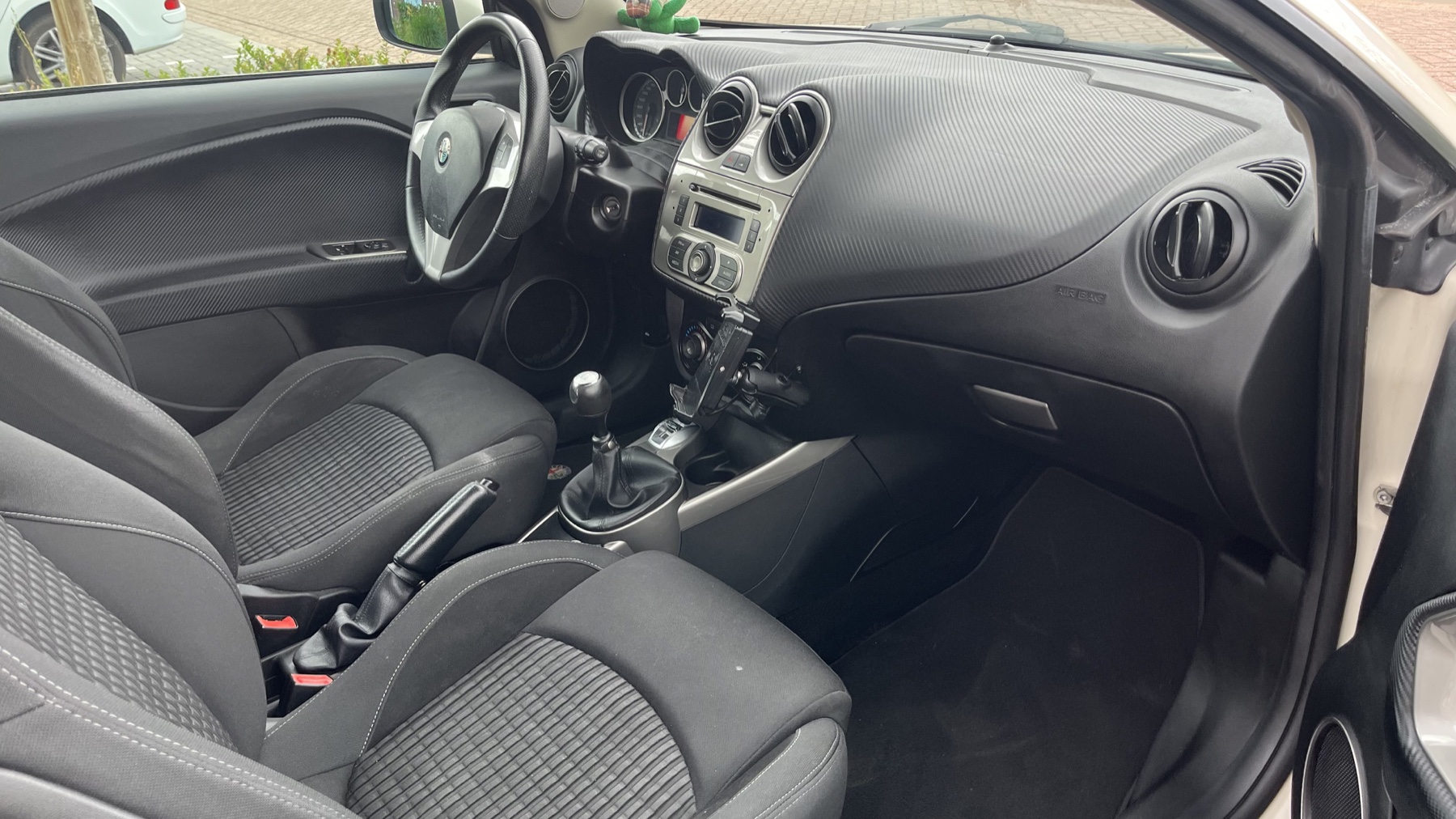
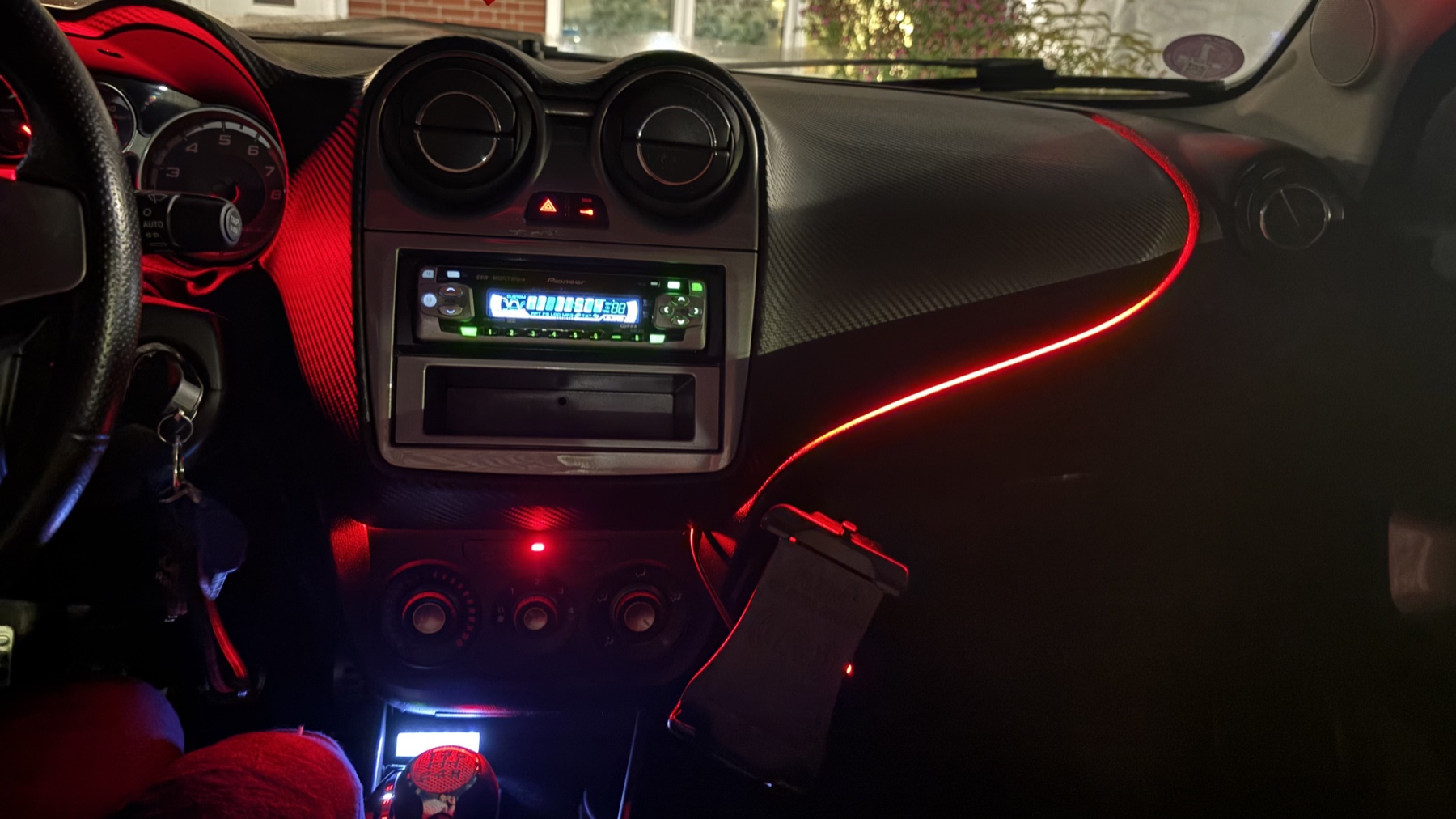
These photos show a MiTo before and after a radio upgrade. A vehicle-specific fascia panel makes a standard aftermarket head unit fit the dashboard neatly.

Alfa Romeo MiTo interior with the original factory radio before an audio upgrade
Before, the MiTo's original radio and dashboard opening
Alfa Romeo MiTo with a Pioneer aftermarket head unit fitted using a fascia panel
After, a Pioneer head unit fitted with an aftermarket fascia

What the fascia does

A fascia is the shaped trim panel and mounting frame around the radio. For some cars, the right vehicle-specific kit lets you fit a standard 1-DIN or 2-DIN head unit where the factory radio used a different shape. Kits vary by model year, dashboard and original audio system.

Check Connects2 MiTo fitment examples ↗

What the radio then makes possible

The fascia handles the fit. The head unit supplies the features. Depending on the model you choose, that could mean a CD player, CarPlay, USB, or pre-outs for an external amplifier or subwoofer. A CD or MiniDisc changer still needs a head unit made to control that exact changer. Wiring or CAN-bus adapters may also be needed to keep steering-wheel controls, the factory amplifier or other car functions working.

See vehicle-specific installation kits ↗

Set it up. Then drive.

Physical media means the music is ready without a signal, but sensible preparation still matters. Once you are moving, keep your attention on the road.

  • Load the disc, cassette or changer magazine before setting off.
  • Make a playlist or disc sequence that will suit the journey.
  • Do not handle media, reach for a changer or search through a case while driving.
  • Secure amplifiers, subwoofers, cables and other equipment so they cannot move around.
  • Set a listening level that lets you hear traffic and emergency vehicles.

Choose the setup that fits you.

Start with one question: do you want to keep the radio already in your car, replace it, or find a used one?

Keep the radio you have

Add a separate CarPlay screen

A small dashboard screen can show navigation while your existing radio keeps playing a CD, cassette or MiniDisc. It avoids replacing a working original stereo.

The screen needs a way to send sound to the car stereo, usually AUX, Bluetooth or an FM connection. Check which one your car supports before buying. The music on your CD still plays without mobile reception.

Keep original radioPhone runs CarPlayCheck audio connection
See the screen examples above ↑
Second-hand, in your region

Spend less, check more

Search eBay for a used double-DIN CarPlay receiver. Listings and prices vary by country, and many CarPlay radios do not have a CD drive. Check the exact model number and its manual before buying.

Ask for a photo of the model label, confirm whether it plays CDs, and test the screen, sound and phone connection. Check the seller's location, shipping, included cables and fitting parts.

UsedDouble-DINConfirm CD drive
Search eBay listings ↗

Two words worth knowing

1-DIN and 2-DIN describe the size of the opening behind the dashboard. A 2-DIN opening is taller, but cars may need a matching trim panel and wiring adapter. Take a photo of your current dashboard and note the car's make, model and year before asking a shop or installer. CarPlay connects your phone, and live maps may use mobile data. A CD plays directly from the radio without a signal. Many CarPlay radios have no disc drive, so look for “CD/DVD player” in the exact product details.
Take your favourites on the road.

Choose the format you enjoy, gather a few albums or mixes and let your car stereo do the rest. Physical music travels well because you bring the sound source with you.

Back to the format guide